OFFLINE GRC · COMMUNITY EDITION
Compliance data this sensitive should never leave your network.
Risk registers, audit findings, incident reports. These documents describe exactly where your organisation is weakest. RaptorGRC is a Governance, Risk & Compliance platform that runs entirely inside your own network as a container, in whatever jurisdiction your data has to stay. Nothing phones home. Community Edition is free, and it is the complete platform with every module included.
$ docker compose up · on-premise · offline licence activation
WHO IT'S FOR
For any organisation that can't let compliance data leave the building.
Small and medium businesses
The complete GRC programme without the five-figure platform licence.
Healthcare, finance and legal
Regulated records and audit evidence stay under your control, in your jurisdiction.
Defence, public sector and critical infrastructure
Sovereignty by design. Runs fully air-gapped, with no outbound calls unless you configure one.
Anyone who can't use SaaS for this
If your compliance data can't sit in a vendor's cloud, this was built for you.
Built in the UK by a working GRC practitioner. Delivered as a container you control.
WHAT'S INSIDE
Your whole GRC programme, in one container.
Risk register
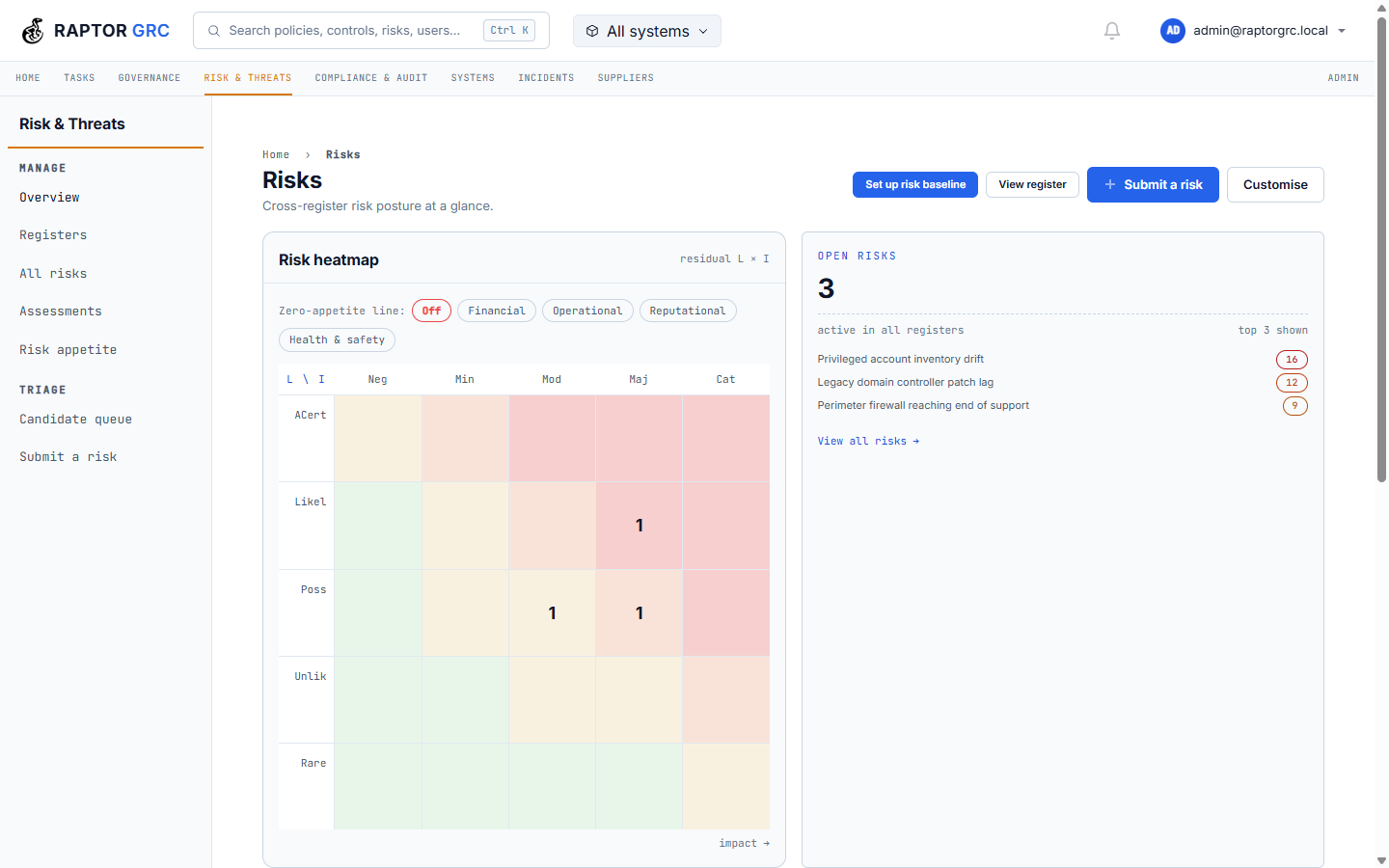
Maintain risk registers with heat-map visualisation, inherent and residual scoring, and treatment plans. Link risks to controls, assets and incidents, all stored on your own servers.
Compliance & incident registers
Track compliance obligations, evidence and approvals with full version history. Log incidents, manage response and record post-incident reviews, with every record auditable and entirely under your control.
Posture & maturity dashboards
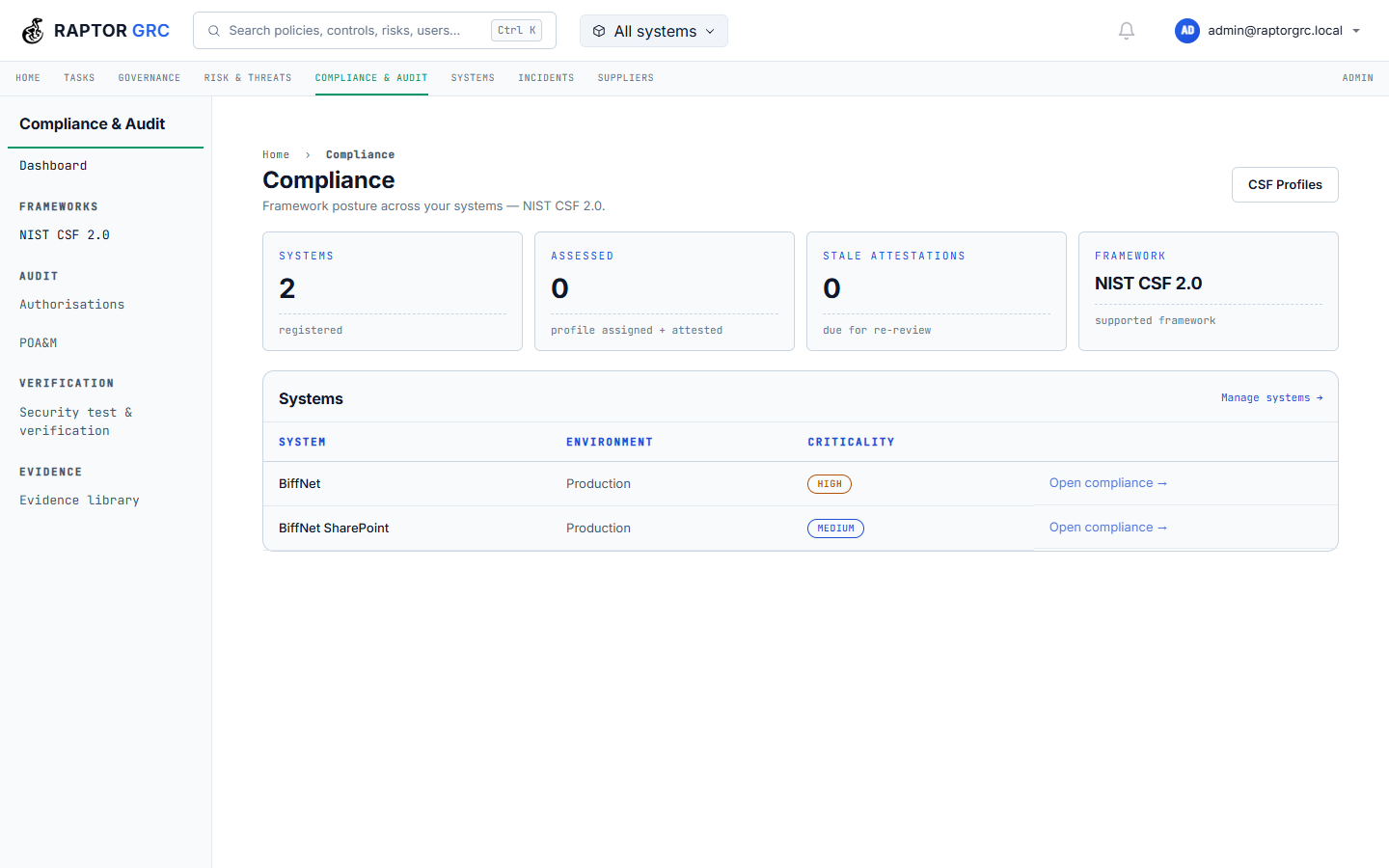
See your whole compliance posture at a glance: NIST CSF 2.0 achievement by function on a single radar, every function ranked weakest-first so the room knows where to look, and one-click gap analysis showing exactly what to fix next.
NCSC CAF posture, outcome by outcome
Contributing-outcome achievement for every CAF principle, rolled up to the four objectives from managing security risk to minimising impact. Assess each outcome as Achieved, Partially achieved or Not achieved in place, and the principle coverage heatmap shows where the gaps cluster.
CMMC readiness by level
Readiness against CMMC 2.0 at Levels 1 to 3, domain by domain: met, partially met and not-assessed counts for every practice family from Access Control to System & Information Integrity, with a per-level domain readiness heatmap. It gives you a working view of where you'd stand; formal assessment stays with the official channels.
A dashboard that knows your job
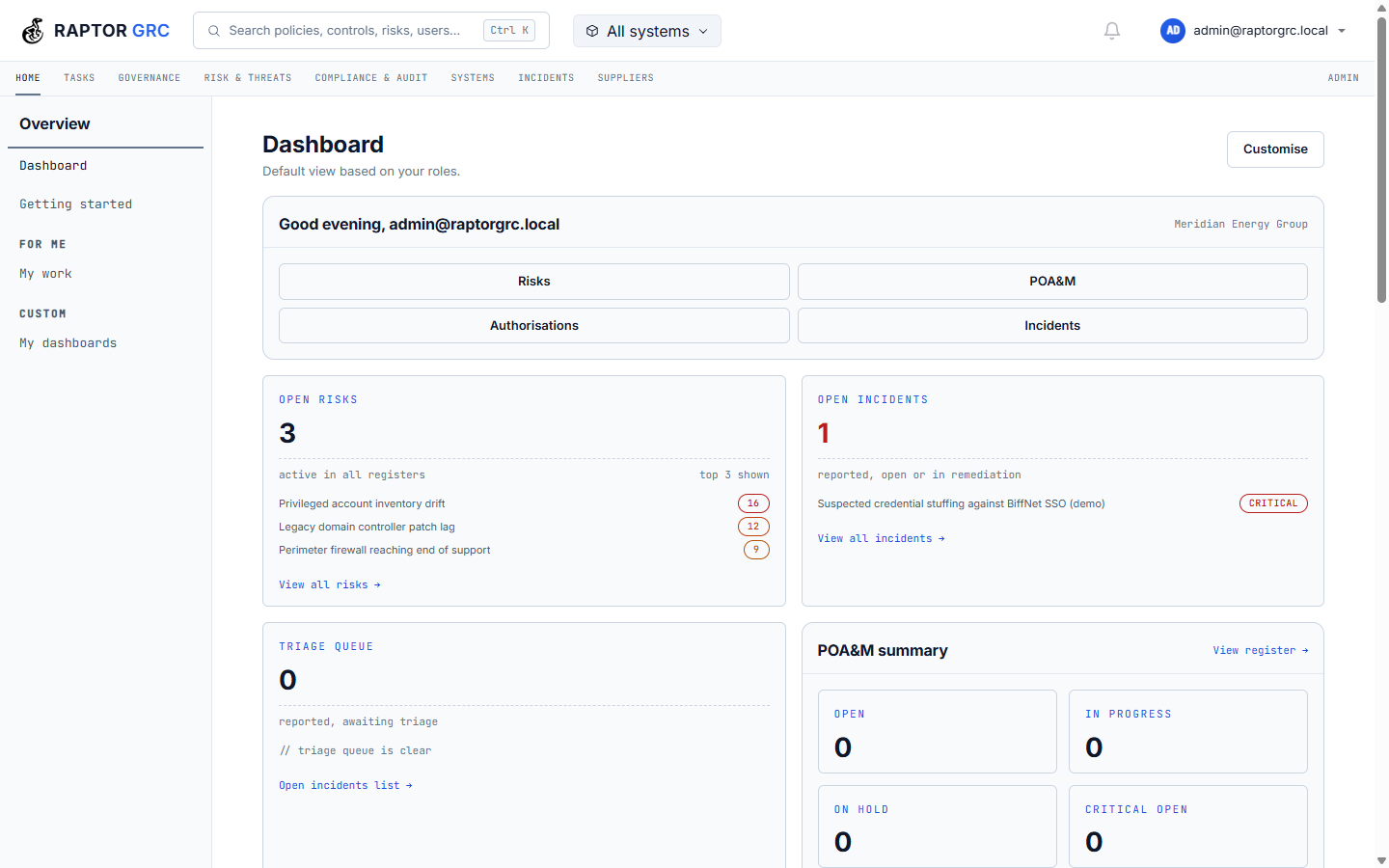
The home dashboard is built from modules and follows your role: an incident commander lands on the incidents they command, response-time metrics and regulatory clocks; a risk lead lands on risks above appetite and their own submissions. Every user can customise their layout, and quick actions keep new risk, report incident and POA&M one click away.
Incident command, end to end
Triage incidents with severity and status at a glance, declare a major incident and put a named commander in charge, then drive response actions to completion while time-to-respond, contain and resolve tick in real time. Legal hold, the custody trail and an AI-suggested response playbook sit on the incident record itself.
Regulatory reporting clocks
When an incident lands, RaptorGRC works out which reporting regimes apply (NIS2, UK GDPR, DORA and any custom regime you define) and starts the clocks. Early-warning, notification and final-report deadlines count down in real time, every regulator submission is recorded against the incident, and deadlines at risk are flagged while there is still time to act.
One task board for everything
Every actionable item across the platform, from tasks and risk actions to incident actions, POA&M milestones and delivery-plan steps, on one kanban board. Swimlanes by source, priorities and due dates on every card, and role-pool tasks your team can claim. Drag between columns or reassign in place.
The same work, on a timeline
Flip the board to a gantt view: planned start to due date for every piece of work, overdue bars in red, a today line so the room can see exactly where the programme stands. Delivery chains plot left to right, so the sequence of design review, risk assessment, supplier assessment and security testing is visible at a glance.
Asset obsolescence, before it bites
Every asset's vendor-support and end-of-life dates, rolled up per system: what's already out of support, what's approaching end of life, what's on extended support. A support timeline shows how exposure is distributed, a bundled EOL catalogue suggests support dates for common products, and expiring assets raise tasks automatically.
Vulnerability findings, tied to systems
Import Nessus scan results or record findings manually. Every finding sits against the system and asset it affects, with CVE, CVSS score and severity. Critical findings promote straight into the risk register, so scanner output ends up in the risk register rather than in a spreadsheet with no owner.
The estate on one screen
Estate-wide hardware, software and firmware inventory: what's out of support, what's approaching end of life, what's on extended support. Break it down by type, vendor and system criticality, and track SBOM coverage per system; imports land against the same inventory the risk and obsolescence views read.
Supplier assurance on a cadence
Third-party suppliers with criticality, risk score, contract status and renewal dates, linked to the systems they support. Assurance assessments run on a cadence you set, and overdue reassessments are flagged in red, so overdue reviews get chased rather than forgotten.
AI-assisted framework mapping
Import your own framework and the optional AI assistant analyses each control, suggests mappings to the frameworks already in the system, and explains its reasoning. It runs on your own Ollama instance, inside your network, so no data leaves the building. You review and confirm every mapping; nothing is applied automatically. The cross-framework matrix then shows every control against every other framework, marked not applicable, partial or full.
Threat modelling on a canvas
Map a system's attack surface visually. Drop entities, processes, data stores and trust boundaries on a canvas, connect the data flows, and tag each element with its TRACE threat domain and STRIDE categories. Assign threats from the built-in TRACE taxonomy to any element or flow and score them with DREAD. Data-flow diagrams and attack trees, all stored on your own servers.
The model shown is a real RaptorGRC threat model: a multi-vector attack against an AI platform (prompt injection, RAG and training-data poisoning, model exfiltration and excessive agency) across four trust zones, with the count on each element showing its assigned TRACE threats.
From threat to risk
Once threats are assigned, the model becomes a working queue. Every threat across the model's elements and flows sits in one table: its TRACE reference, the element it affects, DREAD score and a status you drive from Identified through Mitigating to Mitigated or Accepted. When a threat warrants formal treatment, promote it straight into the risk register in one click; it carries its linked assets with it and back-links to the new risk, and from then on the threat is managed like any other risk.
Plus the features you'd expect:
MFA
TOTP with per-role policy & recovery codes
LDAP sign-in
Directory auth, group-to-role mapping
RBAC
Roles & permissions
Audit log
Activity trail, search & export
Incidents
Response, SLA, reviews
Investigations
Case files, custody trail, legal hold
Governance
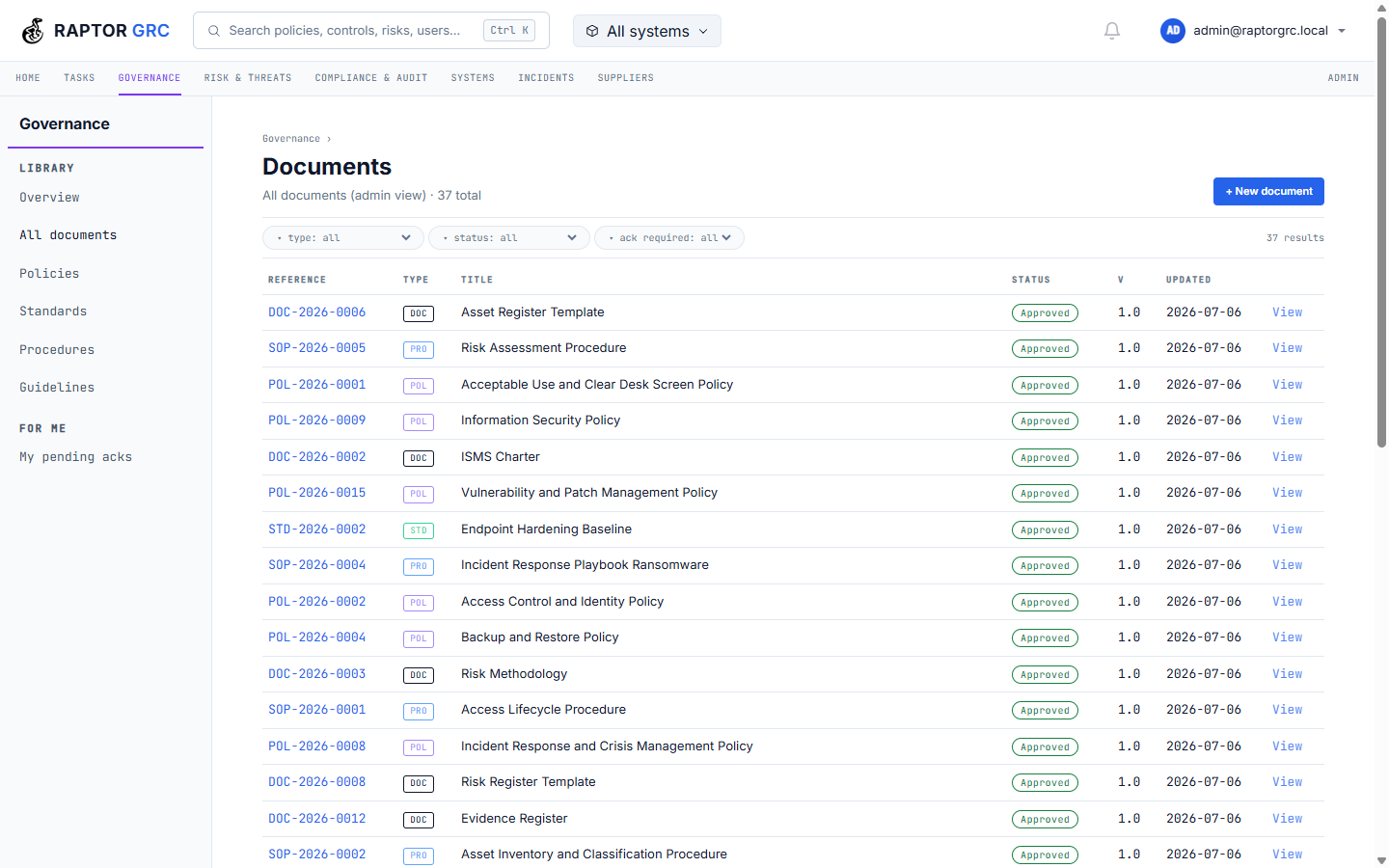
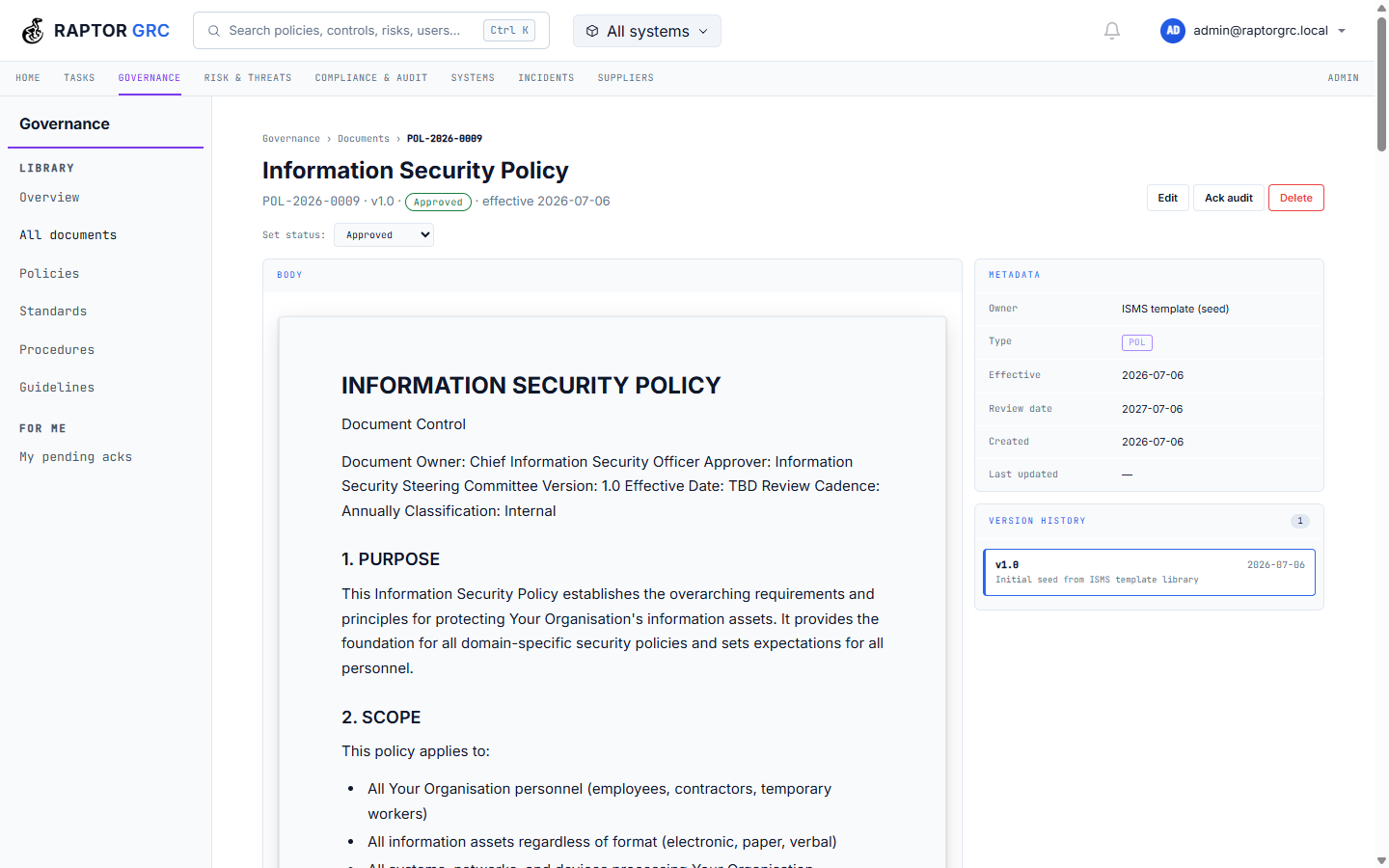
Policies & documents, versioning
Assets & Systems
Inventory, FIPS, EOL, SBOM
Business continuity
Plans, BIA, services & processes
Authorisations
System sign-off, decide & record
POA&M
Milestones, remediation tracking
Evidence
Collection, linkage, audit trail
Tasks
Owners, due dates
Controls
Assessment & framework mapping
Reporting
PDF & Excel exports
Global search
Policies, controls, risks & users
Threat catalogue
TRACE taxonomy & analysis
Security Test Verification
Test evidence & status
Notifications
Alerts & categories
AI assistant
Optional, PII-redacting, role-scoped
WHY OFFLINE
Nothing phones home.
RaptorGRC ships as a single container that runs on your infrastructure, whether that's Docker, bare metal, or your own private cloud. No vendor has access to your risk registers, audit findings or incident reports. Licence activation is offline. Paste a token and you're running, with no outbound connection required.
SECURE BY DESIGN
We signed CISA's pledge, and we show our working.
In August 2026 Biff Labs signed CISA's Secure by Design pledge, seven public commitments covering MFA, default passwords, whole classes of vulnerability, and honesty about the flaws that remain. We track our progress against every one of them in public, including the parts still in flight. Each release download ships with its software bill of materials and vulnerability scan report.
See our progress, goal by goalFRAMEWORK COVERAGE
Ships with frameworks built in. Imports any other.
Built in
Bring your own
Import any framework from Excel, CSV or OSCAL, whether that's ISO 27001, HIPAA, PCI DSS, or an internal control set. If you can put it in a spreadsheet, you can load it.
Starter templates with the control identifiers are bundled for CIS Controls v8, ISO 27001 Annex A, SOC 2, Cyber Essentials and NATO/MOD, so you import the structure and add your own licensed control text.
The optional local AI suggests mappings from your framework to the ones already loaded, with a rationale for each. You review and confirm every mapping.
SUPPORT & SERVICES
The platform is free. The expertise behind it is available.
RaptorGRC Community Edition is free and stays free. There is no paid tier of the software, and no feature held back for one. What we sell is time and expertise: support agreements, and help standing the platform up in your own environment.
Support agreements
Guaranteed response times, named escalation, and priority handling of the issues you raise. Upgrade assistance so version moves are planned rather than improvised. Written terms you can put in front of an auditor or a board.
Configuration & onboarding
We help you stand RaptorGRC up inside your own environment, configured to how your organisation actually works: frameworks, registers, roles and reporting. We never host the platform and never hold your data. The deployment is yours throughout.
Contact us for a support agreement.
Deploy it on your own terms.
Create a free account, download the container, and activate offline.
Register / Download$ docker compose up · on-premise · offline licence activation